Nova Cloud Setup: Registration and Adding a Panel
How to create a Nova Cloud account, add your smart home panel to it and test the connection quality.
Nova Cloud allows users to securely reach their devices from anywhere with an internet connection. With this system you can manage your smart devices remotely, monitor their status and perform control operations.
Creating an account
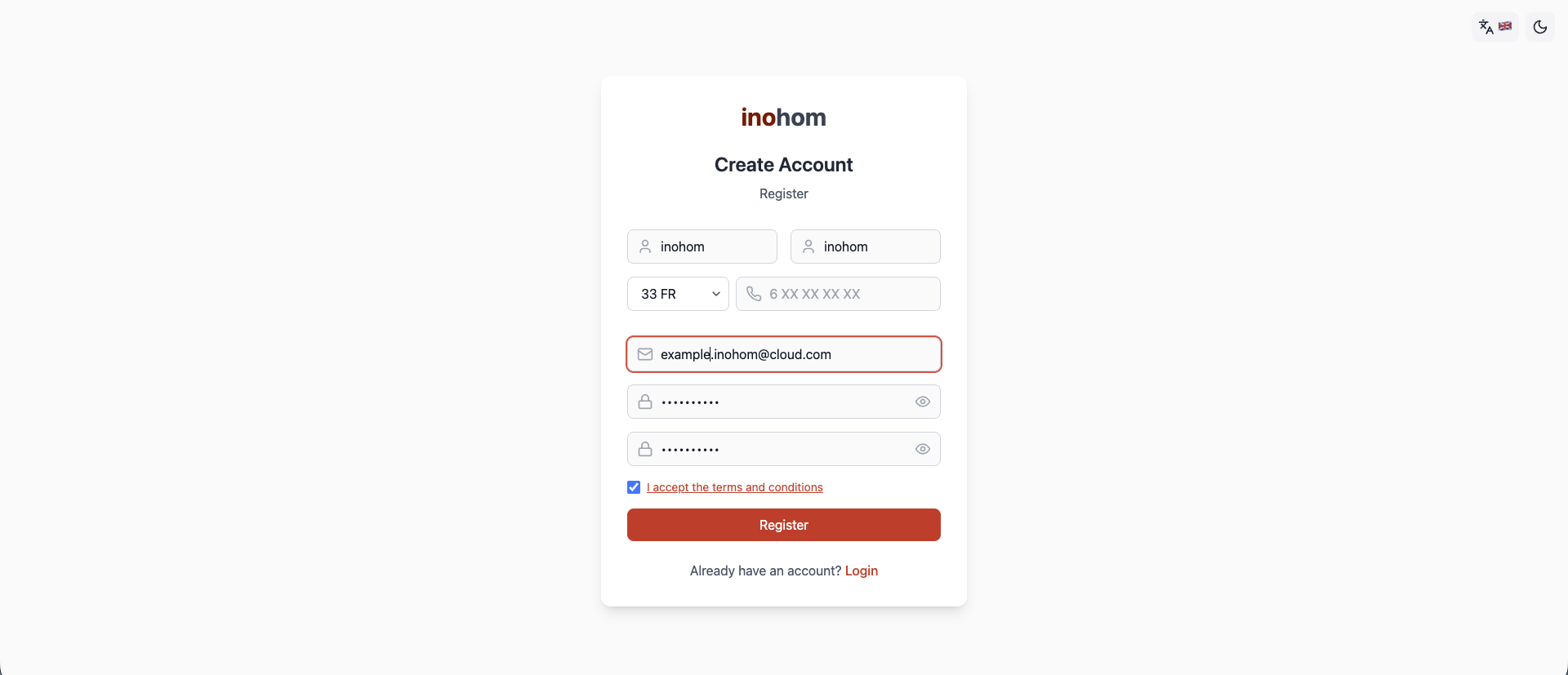
Open the Nova Cloud address.
Fill in the registration form with your first name, last name, phone number, e-mail address and password, then accept the agreement.
Once the details are complete, click the Register button.
If the information is valid and no previous account exists with the same e-mail address and phone number, the system completes the registration successfully.
When registration is complete you receive a confirmation e-mail. You can also access the system from your phone by downloading the mobile app from the App Store or Google Play.
Adding a panel
After registering and signing in to the Cloud system you can add a panel to your account. Panel pairing is performed from the smart home panel itself.
On the panel interface go to Settings > Sign In.
- You must sign in with your administrator account.
- Do not sign in with the Cloud account at this step.
From the Settings page, tap the cloud menu.
Before signing in, we recommend testing your connection quality with the “Test Connection” button.
Sign in using the Cloud account credentials you created during registration.
Once the panel has signed in successfully, you can access information about your panel from the Nova Cloud web page. The Connected Devices page lists the panels added by this account as well as those you have been authorized on by other users.